
Bramwell
Private equity fund agreements reviewed in minutes, not days, with every finding traced back to the exact clause it came from.
The problem
Reviewing a fund agreement means hunting through dozens of pages for the fees, carry, preferred return and investor protections that decide whether a deal is any good. It's slow, skilled work, and easy to miss something.
What Bramwell does
It does the first pass. Drop in an agreement and it rates every key term against market standards, flags what's off, and shows its work so a reviewer can check any finding in seconds instead of trusting a black box.
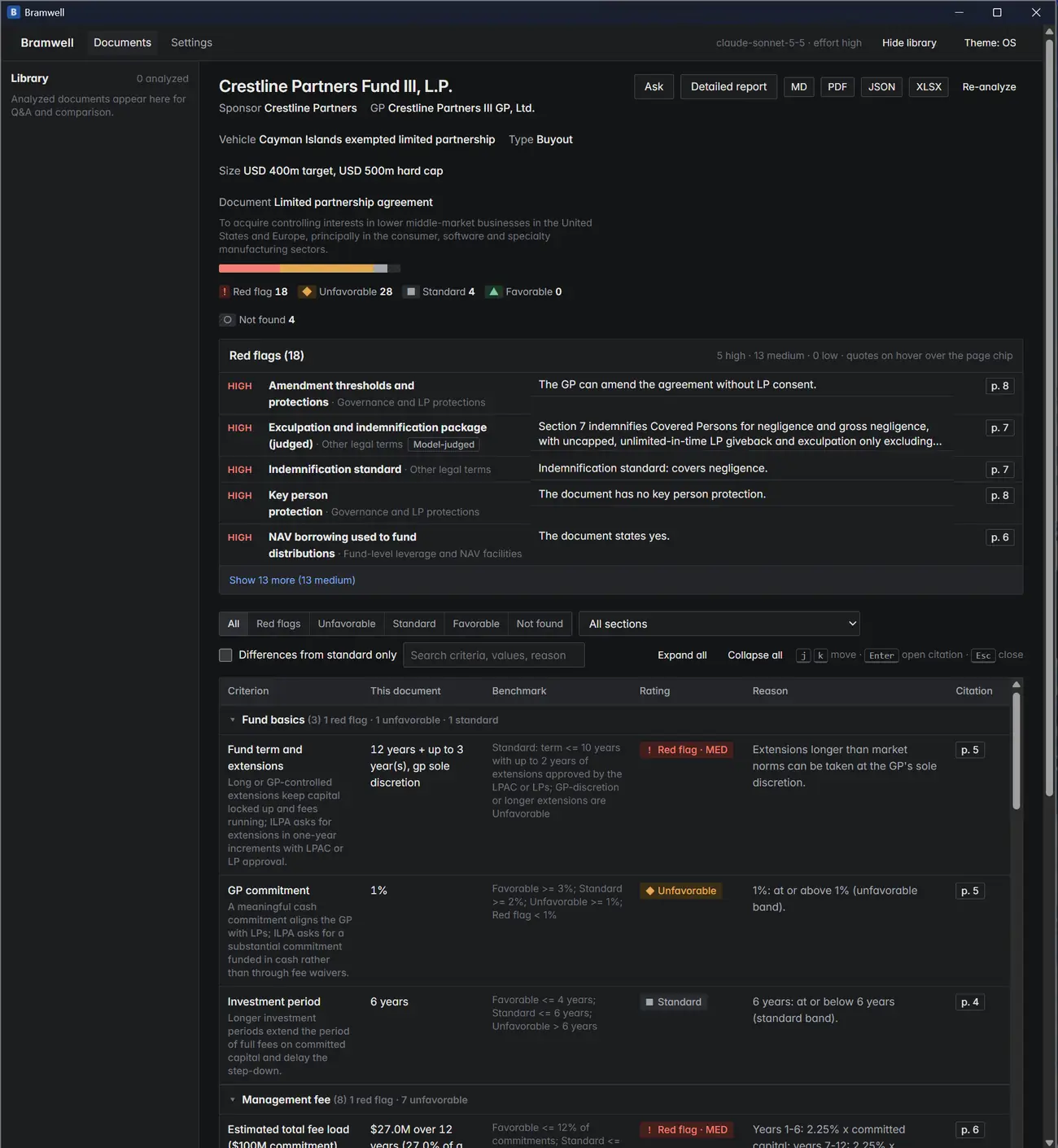
The scorecard at a glance
Every term gets a rating: red flag, unfavorable, standard or favorable. The color bar and counts show the overall picture instantly, and the most serious issues rise to the top, ranked by severity. This sample agreement turned up 18 red flags, including a GP who can amend the agreement without investor consent.
Click the screenshot to view it full size.
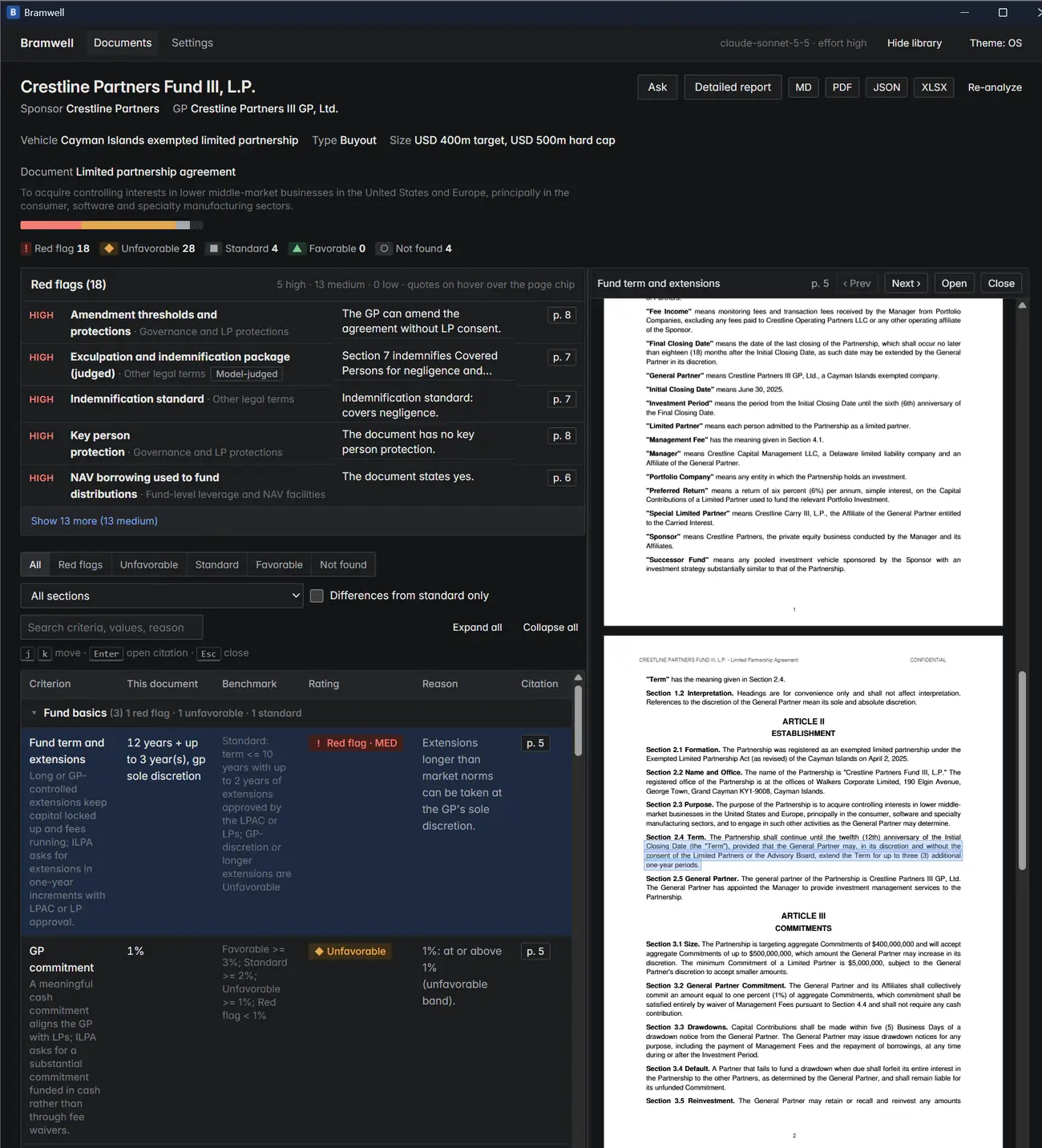
Every rating shows its source
Click any page number and the original agreement opens right beside the scorecard with the exact sentence highlighted. Here the fund term is flagged because the GP can extend it by three years on its own, and the highlighted Section 2.4 shows exactly where that comes from.
Click the screenshot to view it full size.
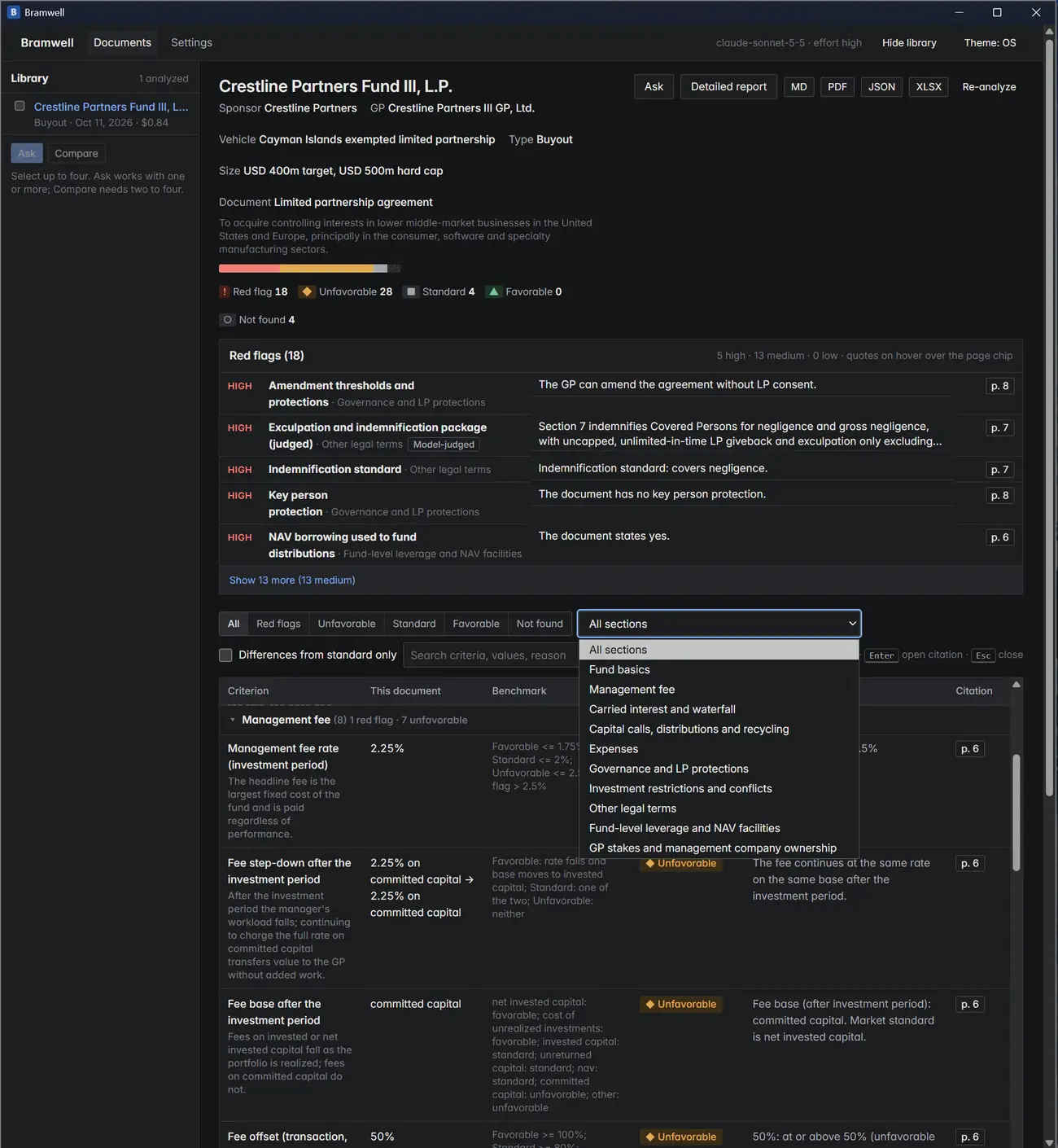
Organized the way reviewers think
Findings are grouped into 11 sections, from fund basics and management fees to carried interest, expenses, governance and NAV facilities. Each row shows what the document says, the market benchmark, the rating and the reason. Filter by rating, search, or show only what differs from standard.
Click the screenshot to view it full size.
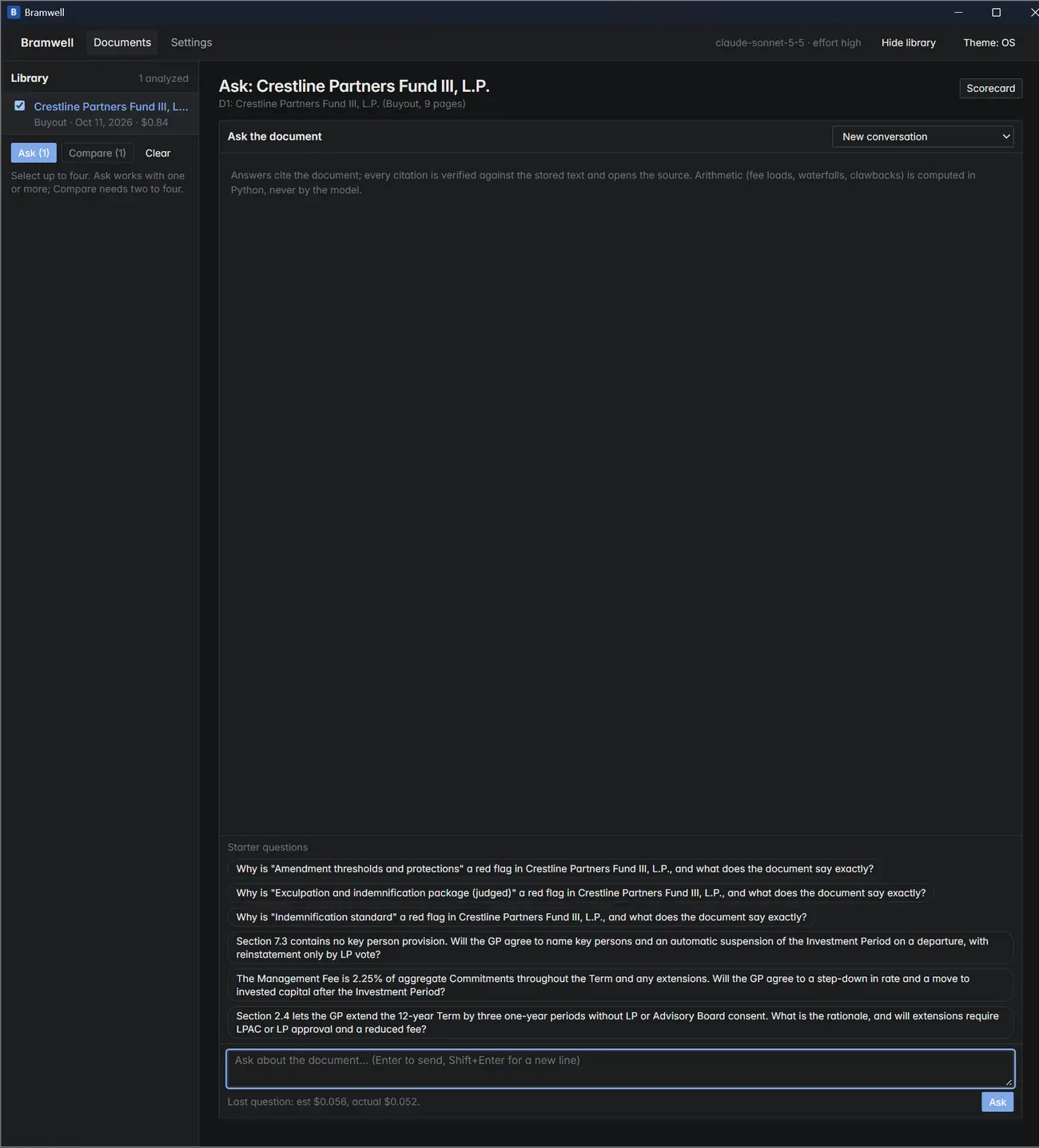
Ask follow-up questions
Reviewers can question the document in plain English. Bramwell suggests starter questions built from its own findings, including negotiation questions to put to the GP, like asking for a fee step-down after the investment period.
Click the screenshot to view it full size.
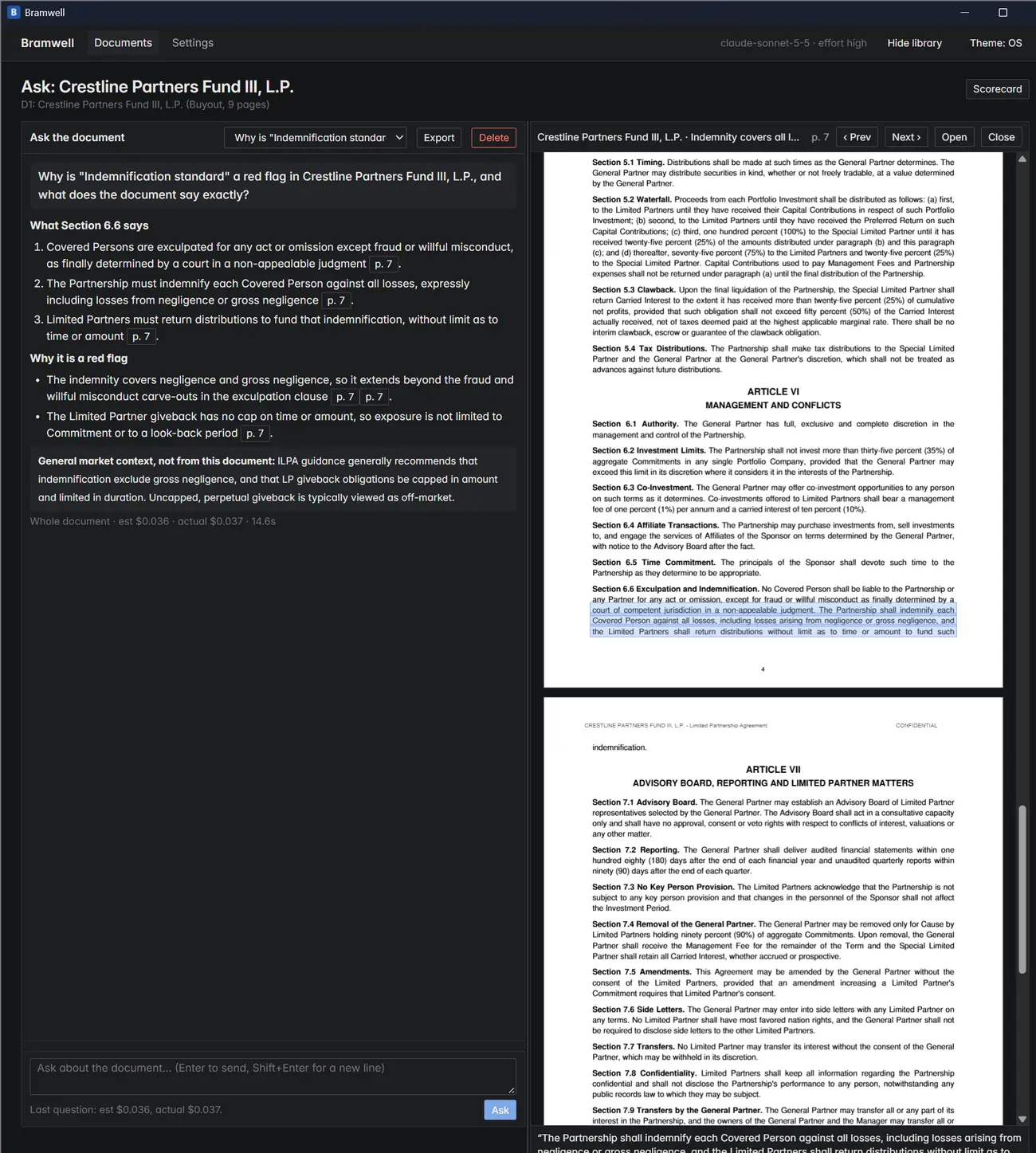
Answers that cite the document
Every answer points to the clauses it relies on, and each citation is checked against the actual text and opens it highlighted. What the document says is kept separate from general market context, and fee and waterfall math is calculated directly rather than estimated by the AI.
Click the screenshot to view it full size.
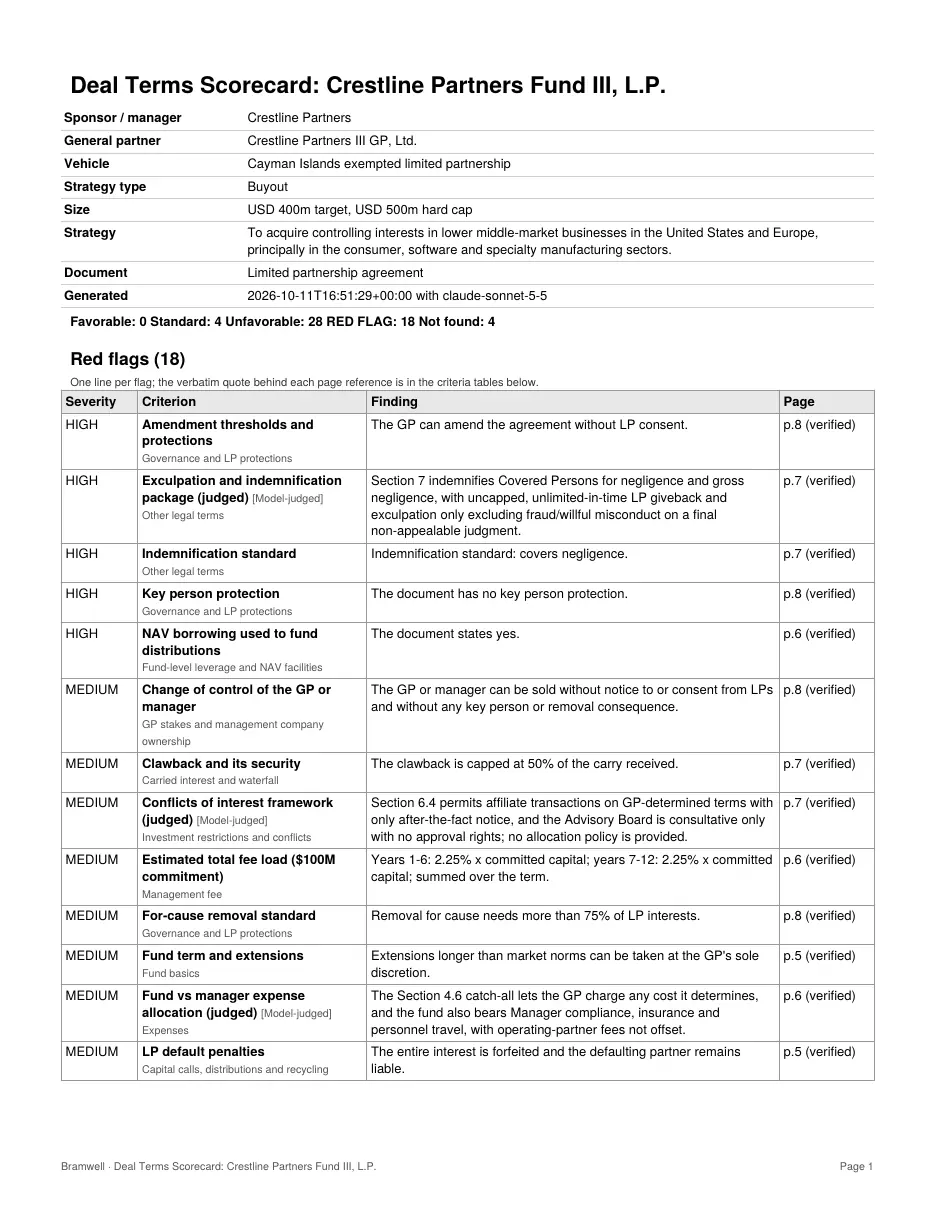
Reports ready to share
One click exports the full scorecard as a PDF, an Excel workbook with live formulas, Markdown or JSON, with every page reference marked as verified. It's ready to hand to a partner or attach to an investment memo.
Click the screenshot to view it full size.
Built for sensitive documents
Screenshots use a fictional sample agreement, “Crestline Partners Fund III”. No client documents are shown.
Have documents your team reviews by hand?
Contracts, reports, inspection forms, bids. If the judgment follows rules you can explain, I can build the first pass.